Most tools that call themselves “email notification software” aren’t built for notifications at all. They’re marketing tools with a transactional bolt-on, or transactional tools with no product layer. Engineers end up maintaining brittle integrations. PMs file tickets to change a subject line. Founders find out about missed order confirmations from angry customers.
This guide is for the people stuck in that gap - what email notification software actually is, how it differs from ESPs and marketing automation, and which products are actually built for this job in 2026.
What Is Email Notification Software?
Email notification software is a system that manages the sending, routing, and tracking of automated product emails triggered by user actions or system events. It’s the layer of your stack responsible for making sure the right email reaches the right user at the right time - reliably, at scale, and with visibility into what happened after it was sent.
Unlike a newsletter tool (which sends the same message to a list of subscribers), email notification software sends individual, personalized messages in response to specific events: a user signed up, a payment failed, a project was shared, a comment was left, a subscription is expiring.
In practice, “email notification software” can refer to one of two things:
- A dedicated transactional email provider (Postmark, Mailgun, AWS SES) that focuses purely on delivery
- A notification infrastructure platform (like SuprSend) that sits above the delivery layer and handles routing, template management, user preferences, multi-channel fallback, and observability
Understanding which one you actually need is the first step to making the right buying decision.
Email Notification Software vs Adjacent Categories
The confusion in this space largely comes from overlapping terminology. Here’s how the main categories differ:
Email Notification Software vs ESP (Email Service Provider)
An ESP (Email Service Provider) is the infrastructure layer that physically delivers your emails. SendGrid, Mailgun, Postmark, and AWS SES are ESPs. They take an email payload from your application and deliver it to the recipient’s inbox.
ESPs don’t make decisions about which email to send, when to send it, to whom, or what to do if delivery fails. Those decisions live in your application code or in a notification layer above the ESP.
Email notification software manages those decisions. It integrates with one or more ESPs and adds the logic layer: workflow triggers, routing rules, template management, user preference handling, and multi-channel fallback.
Email Notification Software vs Marketing Automation
Marketing automation platforms (Customer.io, Braze, Iterable, HubSpot) are designed for outbound marketing - campaign sequences, lead nurturing, promotional blasts, lifecycle marketing. They’re powerful tools for reaching lists of users with planned messaging sequences.
Email notification software is designed for product-driven communication - individual, real-time, event-triggered notifications that are inherently transactional or operational. A password reset, a payment confirmation, a new comment alert, a subscription renewal reminder - these aren’t marketing campaigns. They’re product features.
The practical difference: marketing automation excels at “send this sequence of messages to users who fit this segment over the next 30 days.” Email notification software excels at “when this event fires for this specific user, send the right message on the right channel immediately, with full delivery tracking.”
Email Notification Software vs Bulk Email Tools
Bulk email tools (Mailchimp, Constant Contact) are built for newsletter-style sends to large subscriber lists. They’re optimized for template design and broadcast delivery, not for event-triggered, personalized product notifications. Trying to use a bulk email tool for transactional notifications typically results in poor deliverability (shared IP pools contaminated by marketing traffic) and no real-time visibility into individual message delivery.
What Does Email Notification Software Actually Do?
The best way to understand what this category does is to trace a single notification through the system. Here’s what happens when a user’s payment fails in a product built on a proper email notification stack:
- Event trigger: The payment processor (Stripe, Paddle) sends a webhook indicating the payment failed
- Routing decision: The notification system determines that this user should receive a payment failure email, checks whether they’re opted out of this notification category, and selects the appropriate email template
- Template rendering: The system renders the template with user-specific variables (name, account details, last four digits of card, link to update billing)
- Provider selection: The system routes the rendered email to the configured ESP (e.g., Postmark for transactional reliability)
- Delivery and tracking: The ESP delivers the email; delivery status, open events, and click events are captured via webhooks and surfaced in the notification system’s analytics
- Fallback: If the email bounces or isn’t opened within 24 hours, the system automatically sends an SMS or in-app notification as a fallback channel
A raw ESP handles step 4 and part of step 5. Email notification software handles steps 1-3, the provider selection in step 4, the tracking aggregation in step 5, and the fallback logic in step 6.
What to Look for in Email Notification Software in 2026
If you’re evaluating tools in this category, here are the capabilities that separate solutions worth using from those that create more problems than they solve.
Multi-Channel Support Beyond Email
Product notifications rarely stay email-only for long. Users need SMS for urgent alerts, push notifications for mobile engagement, in-app notifications for active sessions, and sometimes WhatsApp or Slack. Email notification software that can’t extend to other channels forces you to build and maintain separate integrations as your notification needs grow.
Look for a platform that treats email as one channel in a multi-channel system, not the only channel. This architecture is what lets you add “if email bounces, send SMS” logic without rebuilding your integration from scratch.
Provider-Agnostic Architecture with Failover
A single ESP dependency is a reliability risk. If your email provider experiences an outage, your password resets, OTPs, and payment confirmations all fail simultaneously.
Good email notification software supports multiple ESP integrations simultaneously, with automatic failover logic. If the primary provider returns an error, the system automatically retries through a secondary provider without any manual intervention.
Template Management for Non-Engineers
One of the highest-friction problems in product notification management is that updating email content typically requires an engineer. A product manager who wants to update a subject line or change a CTA has to file a ticket, wait for the sprint, and hope the deployment doesn’t introduce a bug.
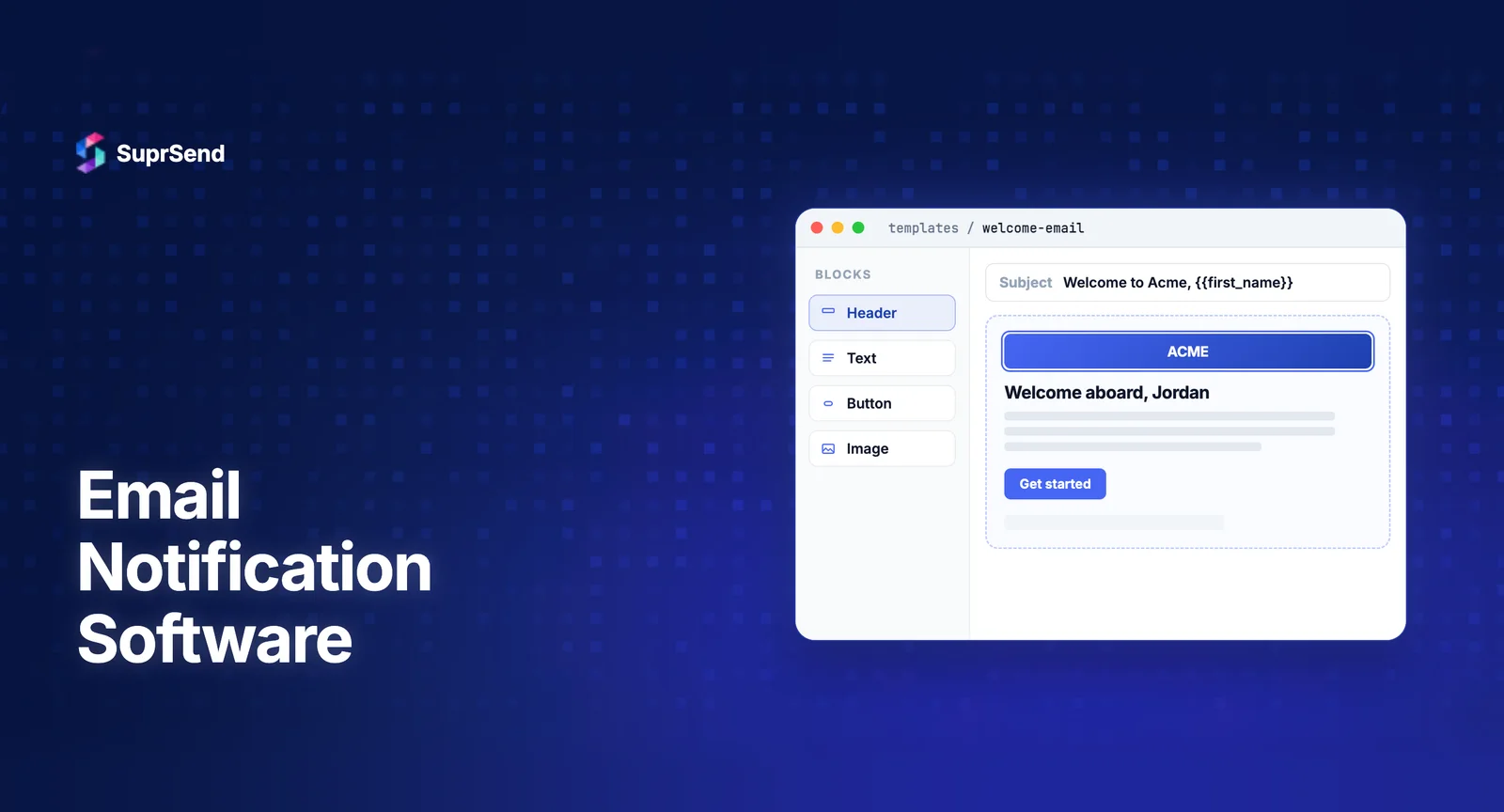
The right software includes a WYSIWYG template editor that lets product and content teams update email content directly, with version control and a preview mode. Changes should be deployable without a code release.
User Preference Management
Users should have control over what notification emails they receive. Email notification software should include a built-in preference management system - both a preference center UI for users to configure their settings, and an API for your system to respect those preferences when routing notifications.
This isn’t just good UX. It’s a compliance requirement in most jurisdictions and a significant factor in long-term deliverability (users who can manage their preferences are less likely to mark you as spam).
Real-Time Delivery Logs and Observability
When a user reports they didn’t receive a notification, you need to be able to look up that specific message, see exactly what happened, and identify the failure point within minutes. Not hours, not after parsing log files - minutes.
Good email notification software provides per-message delivery logs that show the full lifecycle of each notification: triggered, rendered, sent, delivered, opened, clicked, bounced, or failed. This level of observability is essential for debugging production issues and for compliance auditing.
Workflow Engine for Conditional Logic
Product notification logic is almost never “trigger X, send email Y.” It involves delays (wait 2 hours before sending this follow-up), conditions (only send if user hasn’t taken action Z), branching (send version A to paid users, version B to free users), and batching (aggregate 10 events into one digest instead of 10 separate emails).
Email notification software should include a workflow engine that lets you build this logic visually, without engineering involvement for most changes.
How SuprSend Fits This Category
SuprSend is a notification infrastructure platform that functions as email notification software and extends beyond it. It integrates with major ESPs (SendGrid, Mailgun, Postmark, AWS SES, Mandrill, SparkPost) and adds the orchestration layer that manages notification logic across channels.
For email notifications specifically, SuprSend provides: a WYSIWYG template editor with versioning and dynamic variables, workflow automation with triggers, delays, branching, and digest logic, user preference management with a hosted preference center, per-notification delivery logs, multi-provider routing with automatic failover, and analytics dashboards by workflow and channel.
Where SuprSend goes beyond email-specific tools is multi-channel coverage - the same workflow engine handles email, SMS, push, in-app inbox, WhatsApp, and Slack. So when your product eventually needs to send a payment failure alert via email and SMS simultaneously, the infrastructure is already in place. No additional integration required. See how SuprSend compares to other email notification infrastructure platforms on specific capability dimensions.
The free tier covers 10,000 notifications per month across all channels - sufficient for early-stage products to build and validate their notification layer before scaling.
Build vs Buy: When to Use Software vs Build Your Own
Some teams ask whether they should build their own email notification system rather than purchasing software. The honest answer depends on your constraints and your team’s priorities.
Building in-house makes sense if you have deeply custom requirements that commercial software can’t meet, strict data residency constraints that preclude third-party services, or the engineering resources to build and maintain the system long-term.
Buying makes sense - for most teams, most of the time - because building a production-grade email notification system is a months-long engineering project. You need to build the routing engine, template management, preference system, delivery tracking, bounce handling, and multi-channel fallback. All of that is functionality that dedicated software already provides, and all of it requires ongoing maintenance as your product grows.
The question isn’t whether you could build it. It’s whether building it is the best use of your engineering team’s time relative to building your actual product. For most product teams, it isn’t.
FAQ
What is the difference between email notification software and an ESP?
An ESP (Email Service Provider) is the delivery layer that physically sends your emails. Email notification software sits above the ESP and handles notification logic: routing decisions, template management, user preferences, multi-channel fallback, and delivery tracking across providers.
Is email notification software the same as marketing automation?
No. Marketing automation platforms are designed for campaign-based outreach to lists of users. Email notification software is designed for product-driven, event-triggered notifications to individual users — transactional, operational, and real-time.
What should I look for in email notification software?
Key features to evaluate: multi-channel support beyond just email, provider-agnostic architecture with failover, user preference management, template editing for non-engineers, real-time delivery logs, and a workflow engine for conditional logic and delays.